> For the complete documentation index, see [llms.txt](https://docs.reflag.com/llms.txt). Markdown versions of documentation pages are available by appending `.md` to page URLs; this page is available as [Markdown](https://docs.reflag.com/product-handbook/feature-clean-up-and-archival-beta/ai-code-clean-up-beta.md).
# AI code clean-up
When the [GitHub integration](/integrations/github.md) is enabled, Reflag can automatically clean up your code after flags turn stale. The Reflag bot submits a pull request to your GitHub repository that removes flag code once a flag turns stale.
{% hint style="warning" %}
This automation **keeps the codepath that grants access (`isEnabled == true`)** when cleaning up and archiving a flag. In practice, it releases the flag to everyone by removing the flagging code.
{% endhint %}
{% hint style="info" %}
Note: This works best when using the [React SDK](/supported-languages/browser-sdk.md), but stay tuned for improved Node.js support
{% endhint %}
## Get started with AI code clean-up
### 1. Connect with GitHub
Make sure the [GitHub integration](https://app.reflag.com/env-current/settings/org-integrations) is connected for your organization and a repository have been chosen.
### 2. Enable automation
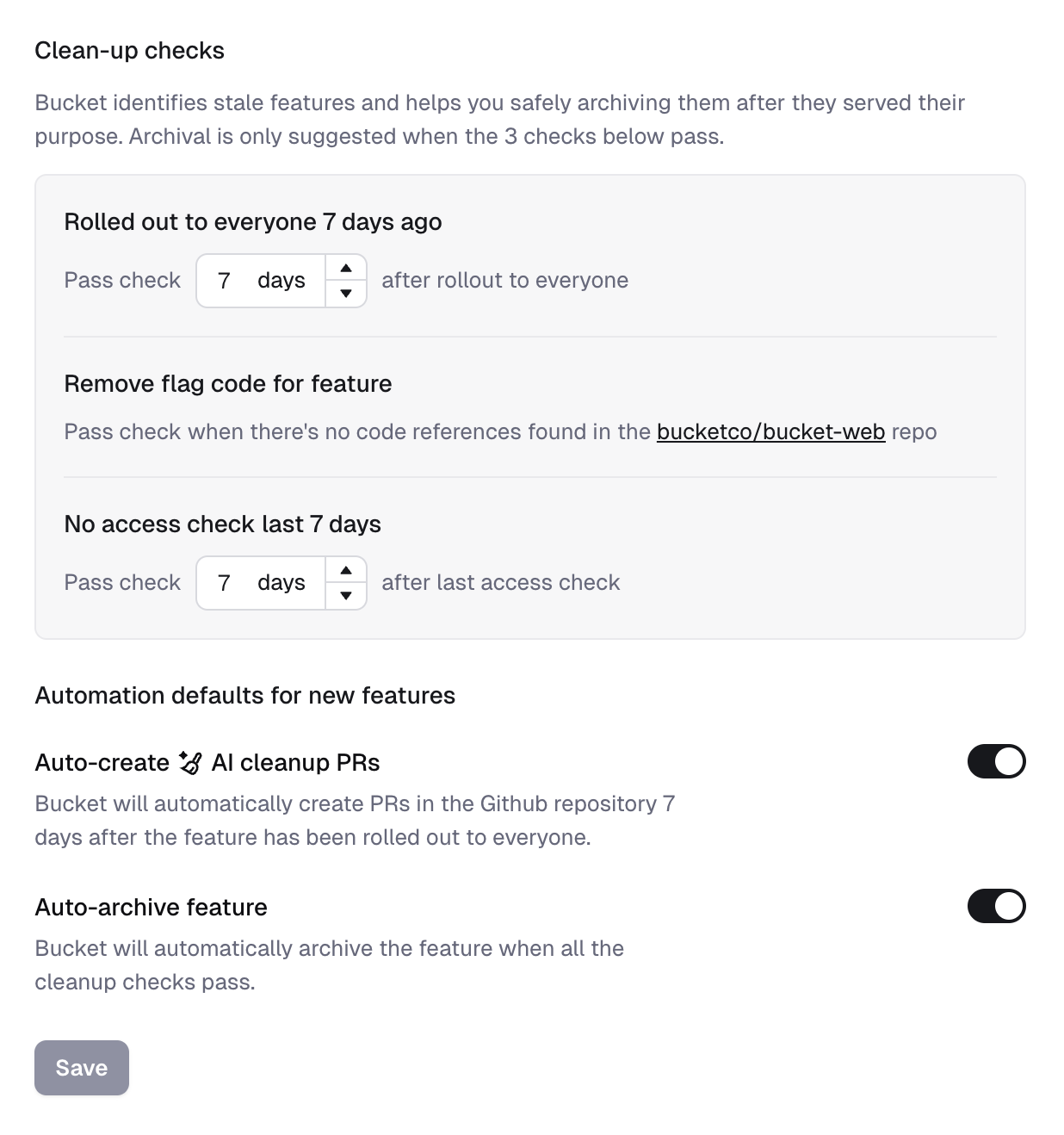
Enable "Auto-create AI Clean-up PRs" under organization-level [Clean-up settings](https://app.reflag.com/env-current/settings/org-archiving-flow).
This ensures that newly created flags have the automation switched on.
### 3. Test it manually
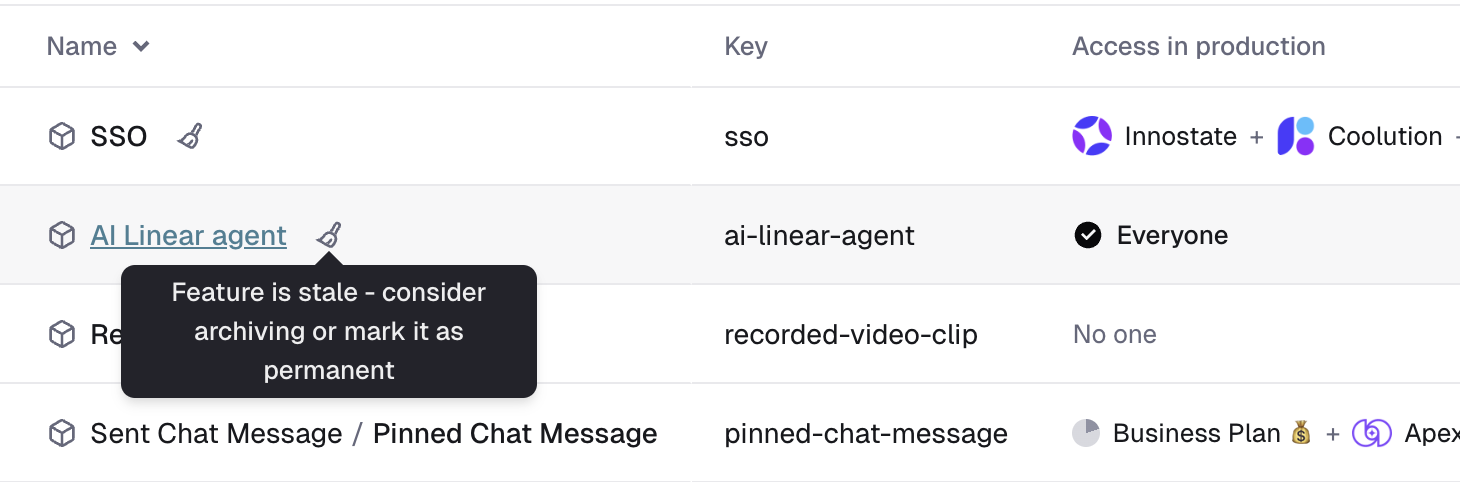
Find a stale flag that is ready for clean-up by looking for the broom icon in the flags table.
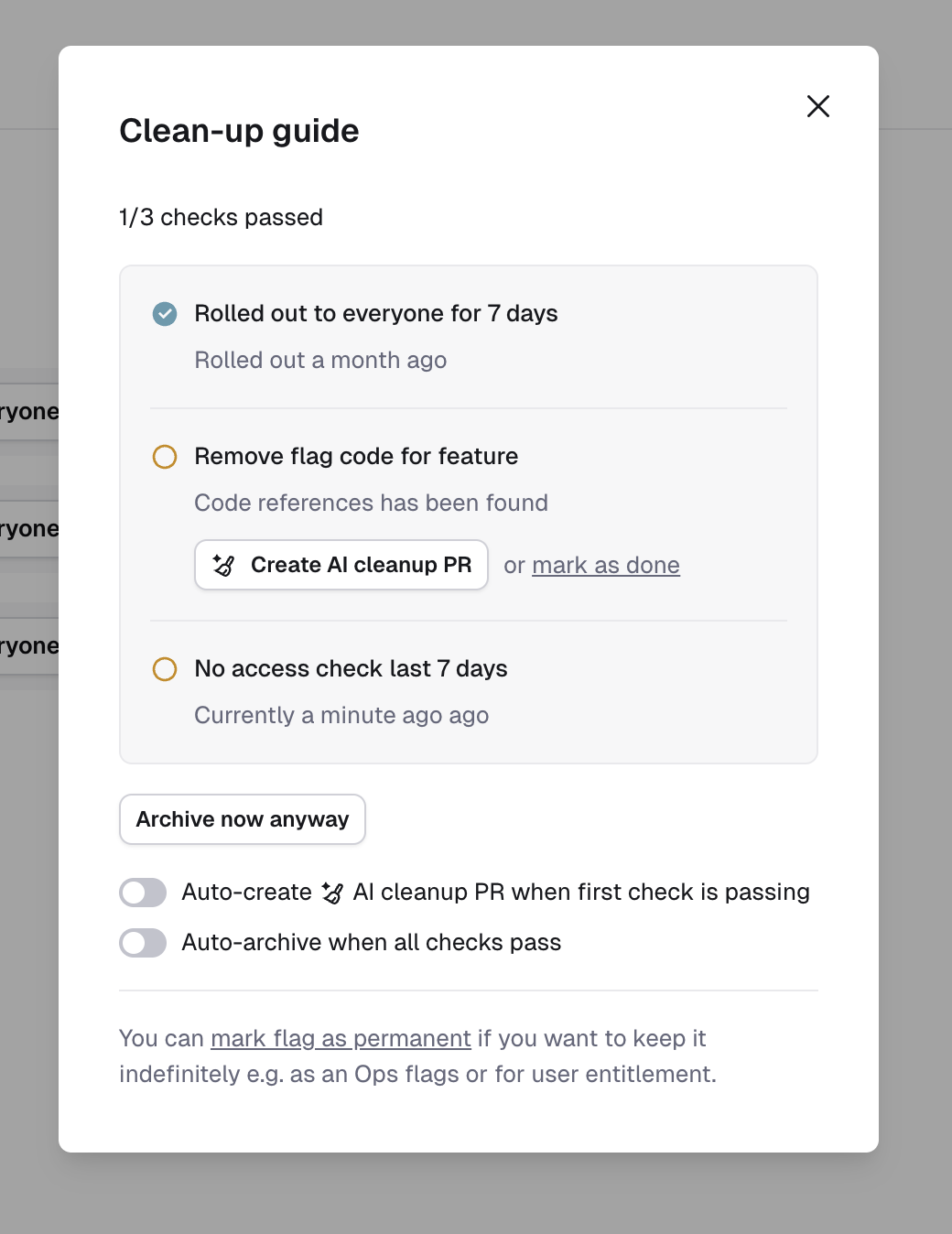
Find the "Clean-up guide" in the flag sidebar, click "Show details", and hit the "Create AI clean-up PR" button to start the process.
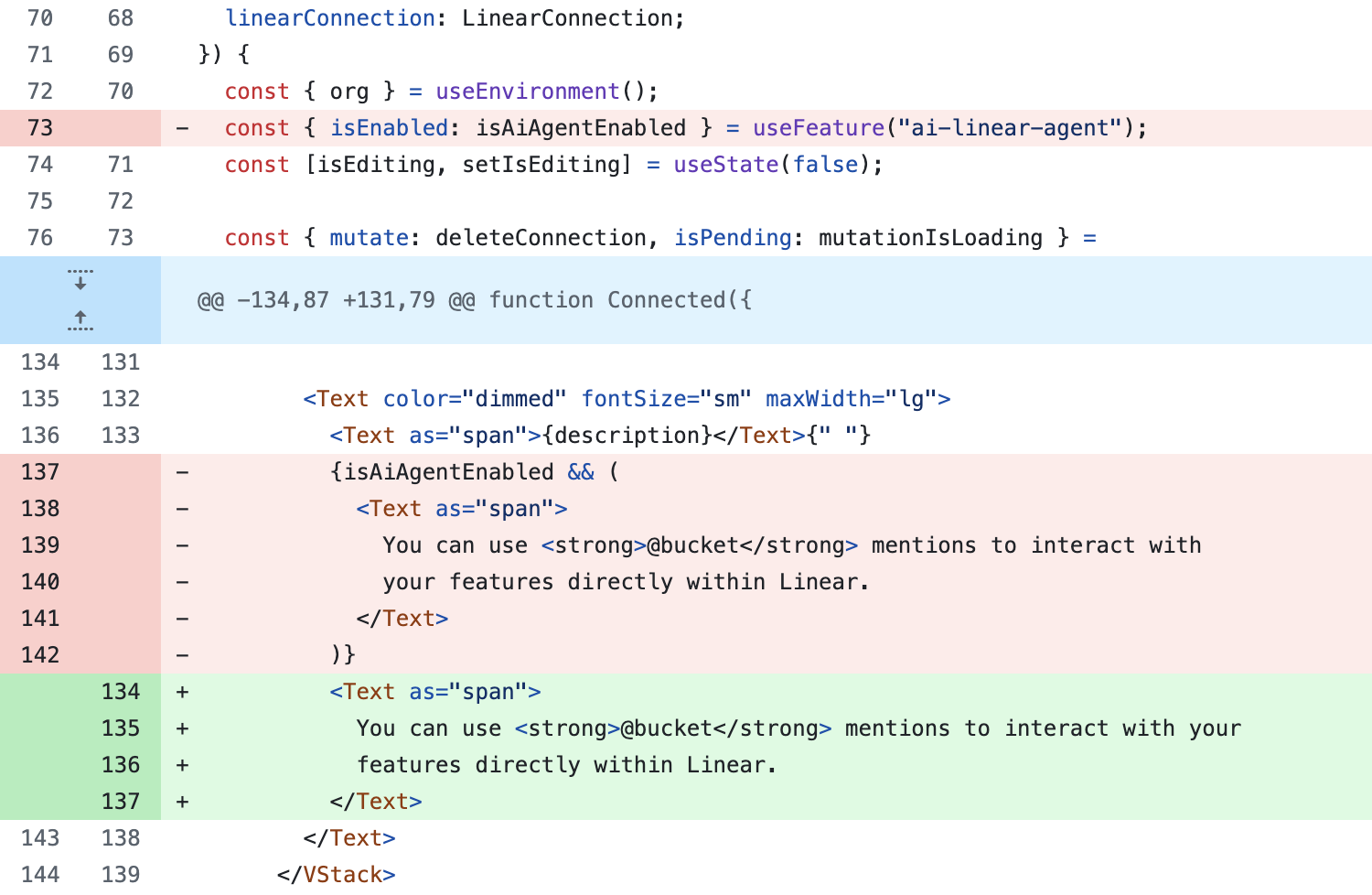
Within a few minutes, you'll have a GitHub pull request that removes the flag and keeps the enabled codepath, like here:
Magical! ✨
## Formatting clean-up PRs
If you're using eslint and/or prettier in GitHub Actions to ensure that code is correctly formatted, you'll need to set up a small GitHub Action workflow which runs on the AI Clean-up PRs.
The idea is that you run your own formatters with the existing configuration once the Reflag generated AI Clean-up PR has been created and then commit the results directly in the same Pull Request to make the PR checks pass.
Example: `.github/workflows/reflag-clean-up-formatting.yml`
```yaml
name: AI clean-up formatting
on:
pull_request:
types: [opened]
permissions:
contents: write
jobs:
formatting:
if: startsWith(github.head_ref, 'reflag-flag-removal/')
name: ✨ Check formatting
runs-on: ubuntu-latest
timeout-minutes: 20
steps:
- name: ☁️ Checkout project
uses: actions/checkout@v4
with:
fetch-depth: 0
- name: ⚙️ Setup Node.js
uses: actions/setup-node@v4
with:
node-version-file: ".nvmrc"
- name: 📥 Install dependencies
uses: ./.github/actions/install
- name: ✨ Run formatting
run: yarn format # <--- this is where you run `eslint --fix` or `prettier -w` etc.
- name: 💾 Commit formatted files
uses: stefanzweifel/git-auto-commit-action@v5
with:
commit_message: "style: format code (@reflagcom: push empty commit)"
```
Take note of the magic ✨ keyword included in the commit message in the final step.
Unfortunately, GitHub purposefully disables running checks on commits that are generated from inside the GitHub Actions job. In order for the checks to run again after the code has been correctly formatted and committed, the @reflagcom bot will push an empty commit when it sees a commit with the text `(@reflagcom: push empty commit)` .
## Under the hood
The GitHub integration continuously checks the codebase against the flag keys in Reflag whenever a commit is pushed to the repository.
When the AI clean-up bot runs, it searches for usage of the Reflag SDK in your codebase and identifies where specific flag keys are used. LLMs then refactor the code to remove the flag and eliminate unreachable codepaths.
For React, this usually corresponds to the `useFlag` hook, like in this contrived example:
```javascript
function StartHuddleButton() {
const { isEnabled } = useFlag("huddle");
if (!isEnabled) {
return null;
}
return ;
}
```
When the bot cleans up the file, it removes the hook and only retains the `isEnabled` codepath:
```javascript
function StartHuddleButton() {
return ;
}
```
**Limitations**:
* Only `isEnabled` is removed, whereas `track`, `config`, and `requestFeedback` are untouched.
* Works best with the React SDK while in beta.
---
# Agent Instructions
This documentation is published with GitBook. GitBook is the documentation platform designed so that both humans and AI agents can read, navigate, and reason over technical content effectively. Learn more at gitbook.com.
## Querying This Documentation
If you need additional information that is not directly available in this page, you can query the documentation by asking a question.
Perform an HTTP GET request on the following URL with the `ask` and `goal` query parameters:
```
GET https://docs.reflag.com/product-handbook/feature-clean-up-and-archival-beta/ai-code-clean-up-beta.md?ask=&goal=
```
`ask` is the immediate question: it should be specific, self-contained, and written in natural language.
`goal` is what the user is ultimately trying to achieve, the reason they need the answer. Sharing it helps GitBook give you a better, more relevant answer. A goal is most helpful when it describes the outcome the user wants rather than restating the question. For example, with `ask=how do I create an API token`, a goal like `automate deployments from our CI pipeline` lets GitBook tailor the answer to that use case.
The response will contain a direct answer to the question and relevant excerpts and sources from the documentation.
Use this mechanism when the answer is not explicitly present in the current page, you need clarification or additional context, or you want to retrieve related documentation sections.
.jpeg?alt=media&token=420e4ebd-bc37-4c1a-879b-091be672a4e0)